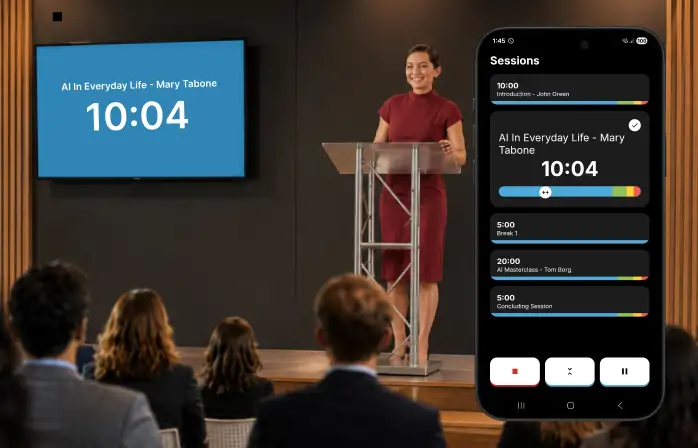
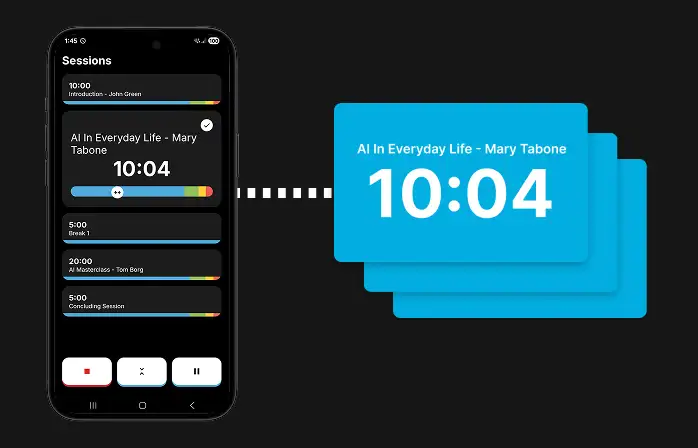
Turn your phone into a remote control and put the countdown up on any screen in the room -- a confidence monitor, a projector, or a colleague's laptop.
Your phone stays the remote -- the countdown displays on whatever screen you cast to.
How it works
Create a room from the app's start options -- this is available on the All Access plan.
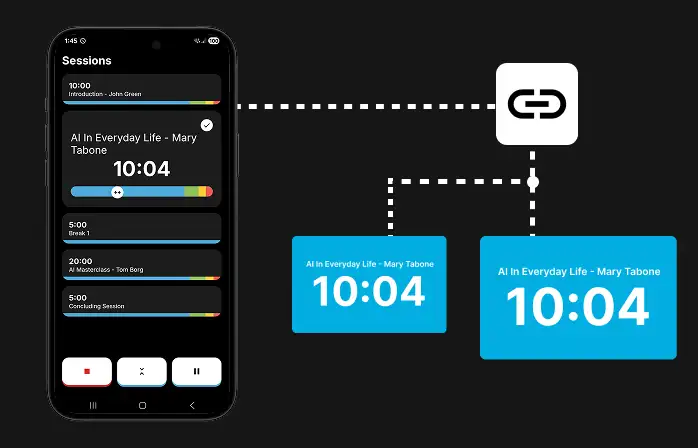
Share the code, link, or QR code with any screen you want to join -- no app install needed, it opens straight in a browser.
Present as normal. Every connected screen mirrors the countdown live, while your phone keeps full control -- pause, skip to the next session, or jump anywhere in the running order.
Cast to as many screens as you need -- every one of them stays perfectly in sync.
One room, any screen
A room isn't tied to a single device. Anyone with the code, the link, or a scan of the QR code can join from a laptop, a smart TV's browser, or another phone -- and they'll see the exact same live countdown, updating in real time as you present.
The app on your phone is the source -- the link and QR code are just easy ways for a screen to join it.
Good to know
Closing the room from the app ends it for every connected screen; simply leaving the app doesn't.
An idle room closes automatically after 6 hours of inactivity.
If a viewer's connection drops, their screen falls back to a "waiting for the presenter" state and picks the countdown back up as soon as it reconnects.
Casting is included with All Access.
Open the app, tap the cast icon next to START, and create your first room.
 Presentation Timer